








Shoulder pain: 7 tips on what you can do about it
7 important causes and tips for shoulder pain
“Up to 70% of the population has experienced shoulder problems at some point in their lives”
Those miserable aching shoulders
A long day at the office or sitting in an incorrect posture? Shoulder pain is common, mainly because the shoulder is a joint with many different muscles. Almost all muscles in the upper body converge at the shoulder. That's why it can be so sensitive.
And if you don't do something about it in time, it can have unpleasant consequences. The pain won't just be limited to your working hours. You'll also have it at home. In the worst case, it will even restrict you. Lifting something, answering the phone, making the bed. In short, the simplest things suddenly become a serious task.
The symptoms
This is how you recognise serious shoulder complaints
The most important is, of course... pain! The pain doesn't always have to be felt only in the shoulders. The pain can radiate to the shoulder blades, neck, elbow, and fingers. Prevention is better than cure, but if you're reading this, you're probably no longer in the phase where it can still be prevented. Don't wait too long, because the pain can hinder your daily activities and even your night's rest is no longer sacred.
Shoulder pain: 7 causes & tips
How does office work cause shoulder pain, and what can you do about it?
Indeed, how? Because working behind a computer isn't strenuous for your body, is it? You get to sit in a comfortable chair all day. How can that give you a painful shoulder?
Unfortunately, it's simpler than you think. It's not indeed heavily strenuous movements that cause your shoulder pain. It's precisely incorrect movements and postures that you make day in, day out, perhaps 5 days a week. Small, subtle things you do wrong, which you might not even notice at all.
I have listed 7 important causes that we often encounter. After each, you'll find a handy tip to reduce (and preferably prevent) that painful shoulder:
1. The screen is too far away or too low
If the screen is placed too far away from you, smaller letters become virtually unreadable. You unconsciously lean towards your screen. Your shoulders move forward, and in the worst case, you lean on your elbows. The pressure on the shoulders increases, which can lead to shoulder pain more quickly.
Place your screen at a maximum arm's length away and the top at eye level (even slightly higher if touch typing)
2. Your armrests are too high
If your chair's armrests are too high, you force yourself to sit with hunched shoulders. A little support for the forearms can't hurt, but too much support is counterproductive for the shoulder.
Adjust your chair so that your upper arms are loosely by your side and your elbows hang slightly higher than the desk
3. The keyboard and mouse are too far away from you
Resting your forearms on the desk while mousing and typing can feel relaxing. Your shoulders, however, think very differently. Your arms are too far forward, causing constant increased tension in your shoulders. Try holding your right arm relaxed by your side and placing your left hand on your shoulder. Now slowly lift your right arm, and you'll immediately feel the tension in your shoulder significantly increase.
Place the keyboard and mouse as close to your body as possible. Let your upper arms hang loosely by your side
4. The mouse is not sensitive enough
Due to that low sensitivity, you sometimes need half your desk to move across your screen from left to right. What you often see then is that you have to lift your mouse to bring it closer again. That makes it doubly strenuous. A painful shoulder is lurking.
Adjust your mouse sensitivity so you can do the same work with fewer movements
5. You are sitting too low relative to your desk
Your arms will no longer be able to find rest. Your upper arms no longer hang relaxed by your side, and your forearms are probably pressing on the desk. To somewhat reduce the pressure on your arms, you will compensate with your upper body. Here too, the shoulders will play a negative role, and shoulder pain can arise.
Adjust your chair and desk so that your elbows hang slightly higher than your desktop. You can then let your arms hang loosely and keep your arm/wrist/hand in a nice straight line.
6. You do not have the right tools
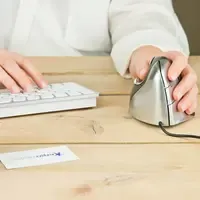
The lack of the right tools can have bad consequences for your shoulder(s). For example, do you work on a laptop without a laptop stand? Then there's a good chance you have poor posture. Do you use a traditional flat mouse? Then the tension on your arm can also radiate to your shoulder.
Choose the right tools to improve your posture, such as an ergonomic mouse, a monitor arm or laptop stand
7. There are multiple causes and you can't figure it out on your own
Often there are multiple causes at your workplace and/or in your posture that cause the complaint. It can be quite difficult to address this on your own. Due to habituation, you no longer see the problem yourself and continue to suffer from the complaints.
We work with independent ergonomists who are happy to provide you with personal advice. From a telephone consultation to a visit to your workplace to thoroughly examine it. Make use of this expertise and schedule an appointment today.
8. (Bonus tip) If you need help choosing ergonomic tools, ask for advice via chat, email or call us on +31 (0)76 2600 207
You might also find these blogs interesting
Wrist pain; tips and 5 simple exercises
The benefits of an ergonomic workplace - part 1/3
Mouse arm: information and tips